

Team & rotas
Your whole team. One clear week.
Move a shift, give someone a day off and see straight away who is in. Your booking page follows the rota, and only offers times with people who actually do the treatment.
Try it right here. Click any shift. Nothing is saved.
ProPay runs and commission are included from the Pro plan.Or click any shift in the rota and change it yourself.
Rota
Plan the week. Change one day.
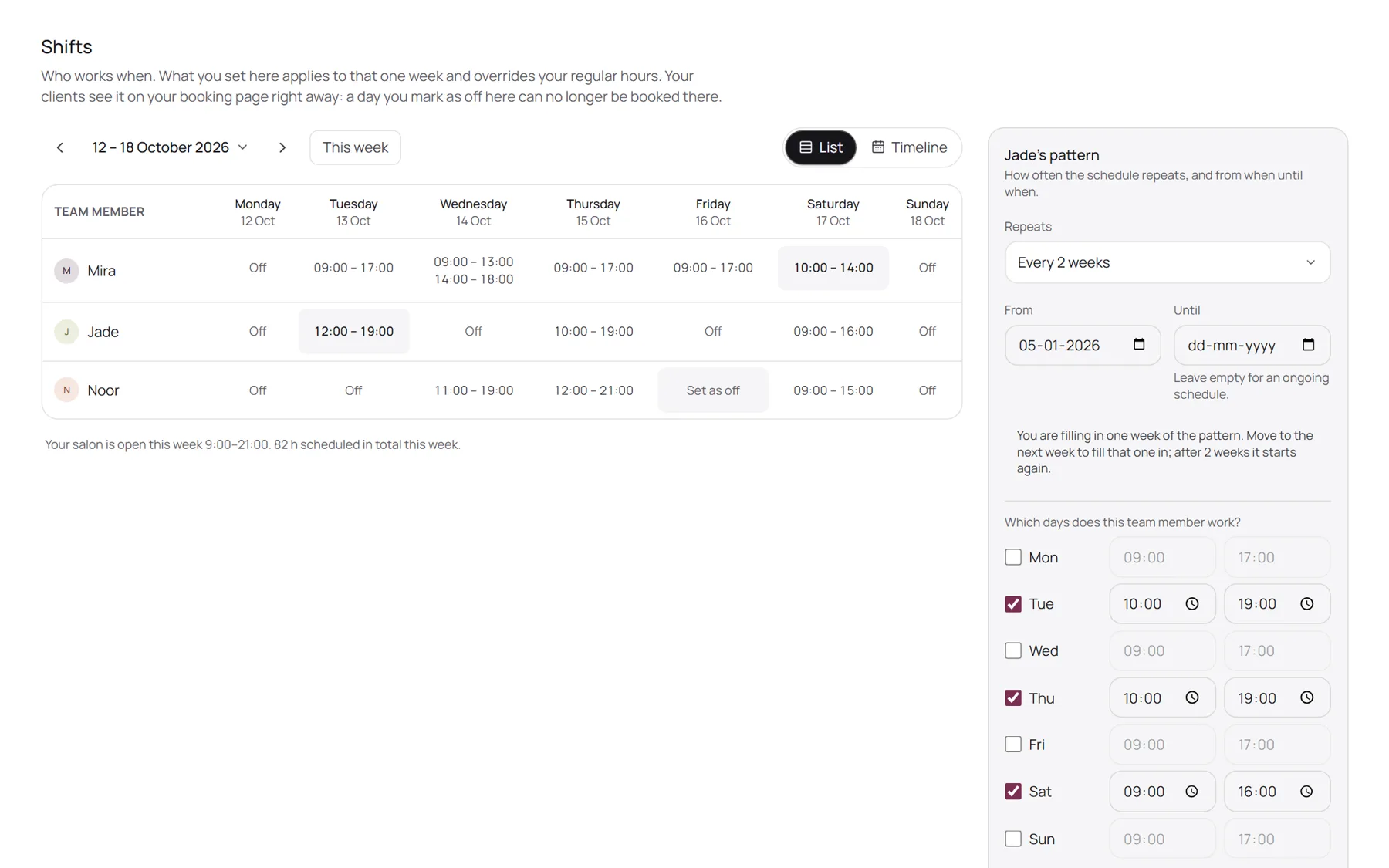
Set everyone's regular hours once. Then change a single day without touching the rest: a later start, a split shift, a day off. Your booking page follows straight away.
- Regular hours every week, or every two, three or four weeks
- Several blocks on one day, with a break in between
- Copy a week to the next 1, 4, 12 or 26 weeks
Who does what
Bookable only with whoever does it.
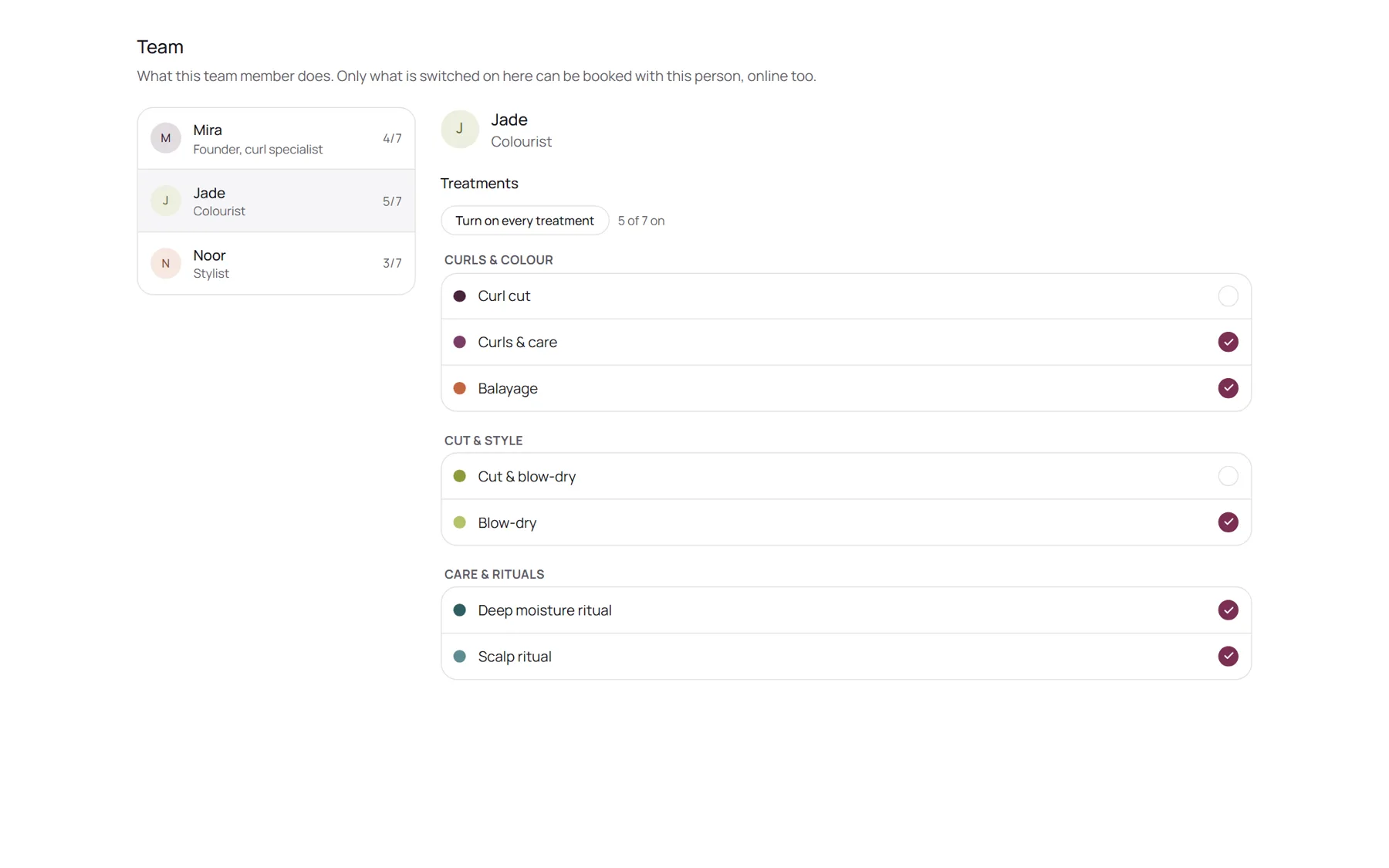
Tell NOZAIA which treatments each person does. Clients only see times with someone who actually does that treatment, and you can keep a day for one thing only, like a colour day.
- Switch treatments on or off per team member, saved as you go
- Treatments per day: a day with only colour, or only cuts
- The same rule for online bookings and the ones you make yourself
Pay
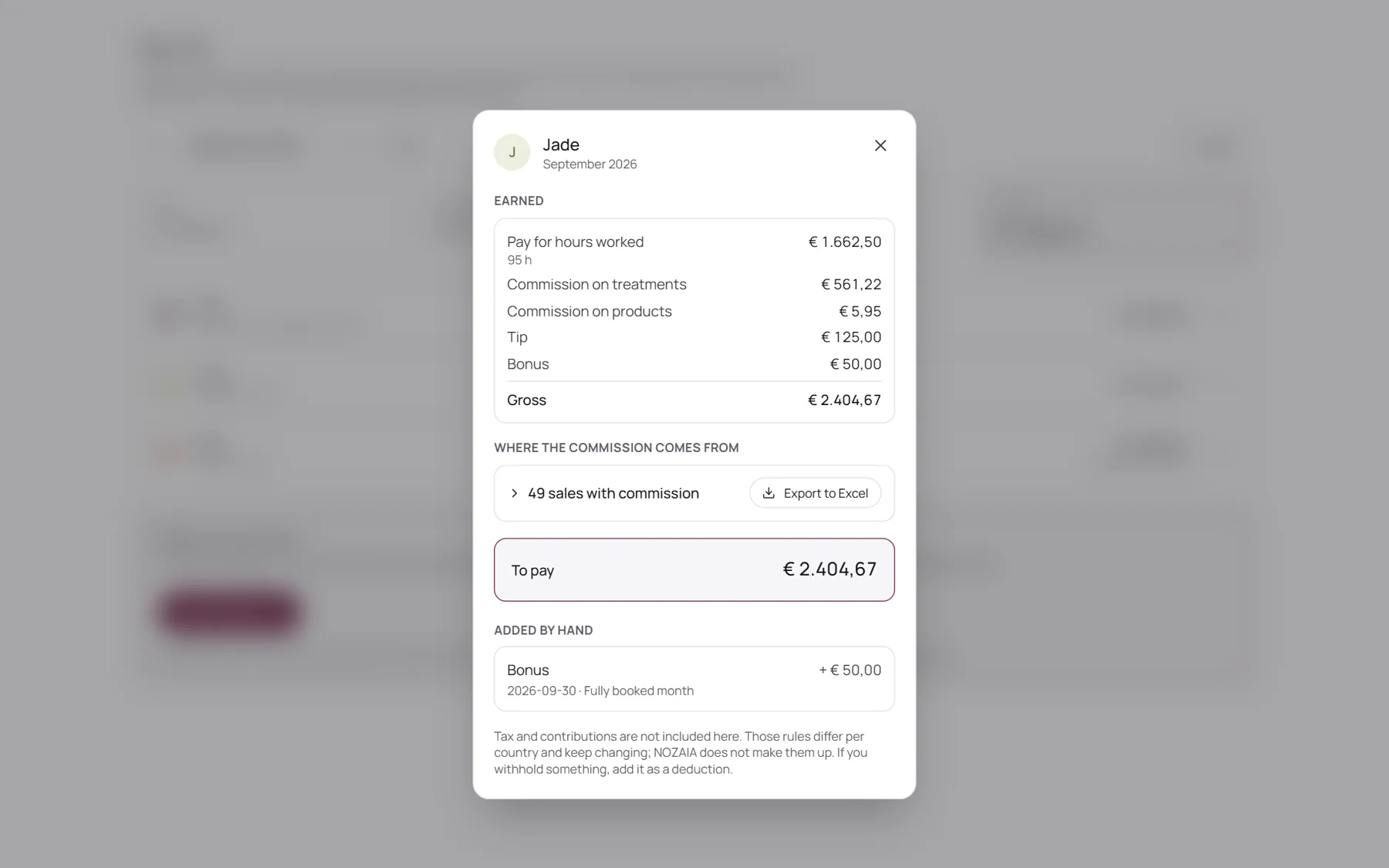
Commission and tips, worked out for you.
At the end of the week or the month, NOZAIA adds up the hours from the rota, the commission on treatments and products, and the tips. You check it, add a bonus or an advance, and record it.
- Hourly pay or a monthly salary, per team member
- Commission as a percentage, a fixed amount or in tiers, with a different rate per treatment
- Every amount explained line by line, with an Excel export
Roles
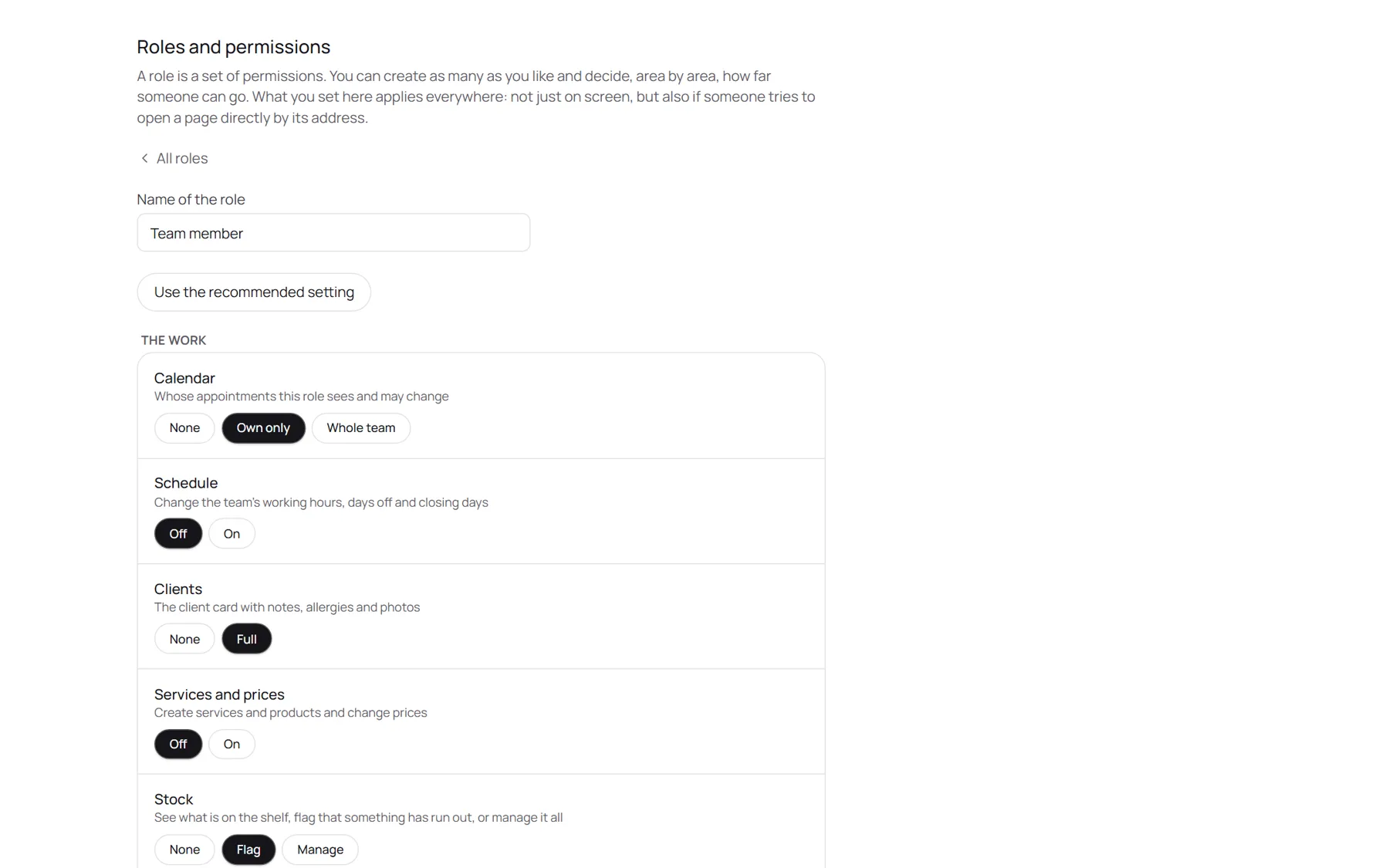
Everyone sees what they need. Nothing more.
Decide per role who sees the whole team's calendar or only their own, who sees the revenue and who can open the pay runs. It applies everywhere, not just on screen.
- Ready-made roles for owner, manager and team member, or make your own
- Per area: nothing, only their own, or the whole team
- Nobody can hand out permissions they do not have themselves
Your team set up in three steps
- 01Add your team
Add everyone who works with you and send them an invite.
- 02Set the hours
Regular hours once, then change any day when plans change.
- 03Choose who does what
Switch on the treatments per person. Your booking page does the rest.
Questions about team and rotas
Which plan includes this?
The rota, who does what, and roles and permissions are in every plan. Pay runs, commission and hours are included from the Pro plan.
Does a bigger team cost more?
Every plan includes a number of team members. See the plans for the numbers and prices in your country.
Does NOZAIA pay my team?
No. NOZAIA works out what everyone earned and records it, but it does not transfer money: you make the payment yourself.
Tax and contributions are not calculated, because those rules differ per country. Add anything you withhold as a deduction.
Can team members change their own hours?
Only if their role allows it. The rota permission covers the whole team, because moving one shift often moves someone else's too. Time off for one person goes in the calendar as blocked time.
Is the demo on this page the real rota?
Yes, it is the same rota salons use, with a made-up salon in it. Nothing you change there is saved.
Plan next week tonight.
Start your free trial and put your team in the rota in a few minutes.